
The Master Shizuku Stack — Root-Free Android Control
There is a sanctioned back door in every Android phone, and it opens with a four-tap combo in developer options. Shizuku turns the ADB privilege your phone already grants into a safe, per-app gateway — and an entire economy of open-source tools has grown behind it. This is the field-tested Shizuku stack: fourteen apps, four tiers, one evening, zero root.
Verified October 2026 against live sources, on a phone that runs this exact build daily.
01 / Ground Truth
Your phone already has the keys. Shizuku is the lockpick that isn’t one.
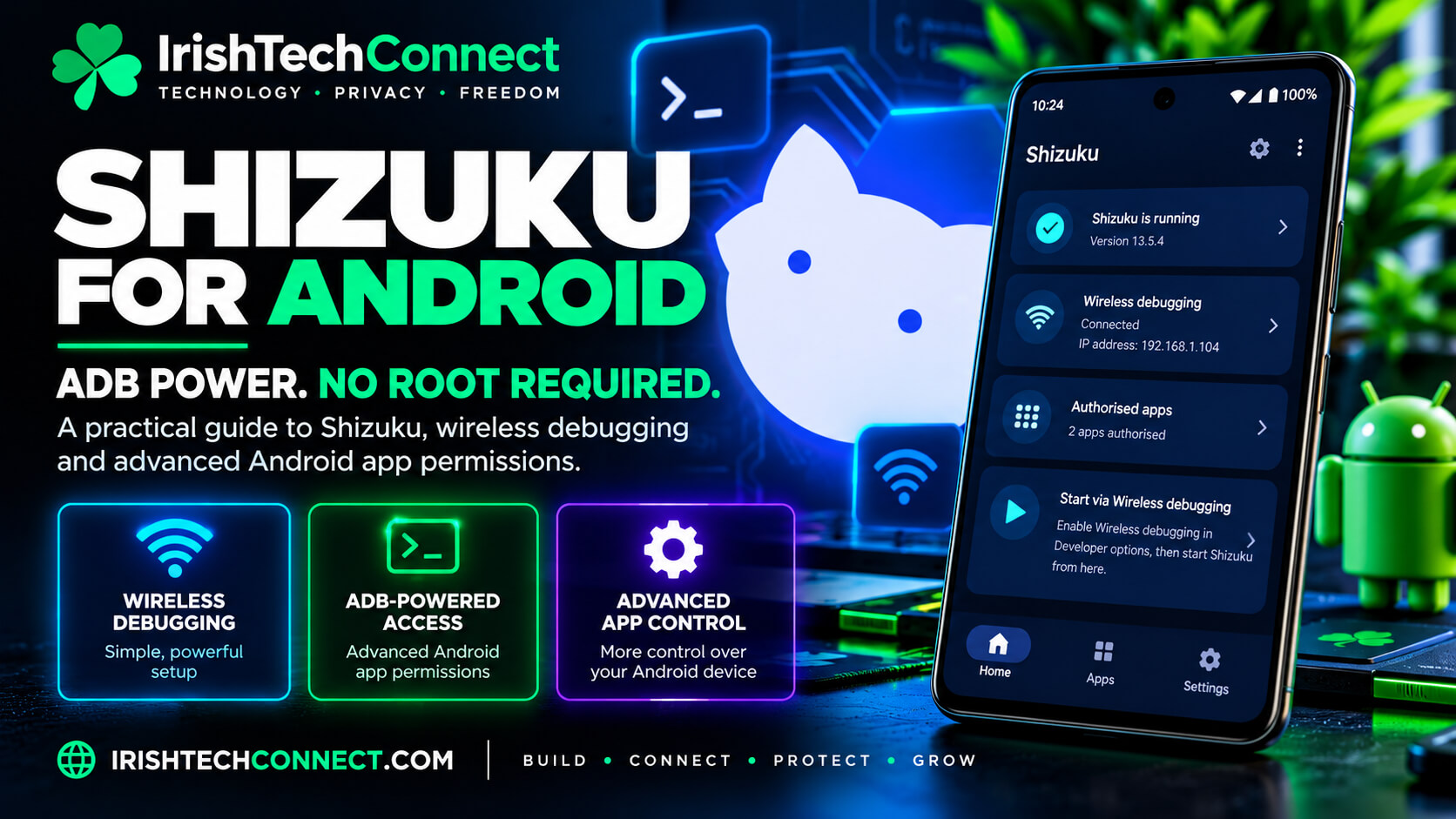
Android ships with a privilege tier between “normal app” and “root”: the ADB shell user. Every developer options menu can wake it. Shizuku — open source, 30.7k stars, built by RikkaApps — starts a small server process with that ADB privilege and lets your regular apps call system APIs directly through it, each one individually approved by you, runtime-permission style. Since Android 11 you can pair it wirelessly on the phone itself: developer options → wireless debugging → six-digit pairing code → start. No PC, no unlock, no root. (Verified October 2026: RikkaApps/Shizuku, shizuku.rikka.app.)
Direct API calls, not command scraping
Client apps receive system-service binders through Shizuku — fast, typed and reliable, where the old root method shelled out and parsed text.
Per-app permission grants
Every app that wants Shizuku’s power asks you first, in a dialog that works exactly like a runtime permission. Nothing gets in silently.
Zero tracking, reproducible builds
No analytics, no telemetry, no proprietary libraries. Its internet permission exists for the wireless-debugging handshake and update checks, nothing else.
The 2026 chapter you should know: the official repository has been quiet since June 2025 and the official build is broken on Android 17 — so the community forks ship the fixes: ShizukuPlus and Porter (by SD Maid SE’s own developer) are the maintained picks, and ecosystem apps like SD Maid SE already detect them automatically. Open source kept the lights on while the vendor went quiet — that’s the self-healing property working exactly as designed.
02 / The Master Stack
The Shizuku stack, tier by tier
Four tiers, each buying a distinct scope of power — the same “buy the scope you need” philosophy ITC applies to every service. Start at Foundation, climb when you’re ready.
🌱 Tier 1 · Foundation — the daily drivers
Shizuku (fork)
The keystone. Use the official build on Android ≤16, or ShizukuPlus / Porter on 16–17. Everything below runs through it.

Canta
The bloatware remover. Uninstalls any app without root, with community badges rating what’s safe to strip. FOSS, LGPL-3.0, 6.3k stars.

Hail
The freezer. Disable, hide, suspend or uninstall apps on demand — RAM back, battery back, launcher clean. Data and APK stay intact.

SD Maid SE
The maintenance crew. AppControl, CorpseFinder, AppCleaner, Deduplicator — rootless via Shizuku, the successor of the legendary SD Maid.
Material Files
The honest file manager. Through Shizuku it walks straight into Android/data and Android/obb — folders stock file managers pretend don’t exist.

aShell You
The on-phone ADB shell. Material You design, QR wireless pairing, port forwarding, file push/pull. A full ADB terminal in your pocket.

ReAppzuku
The enforcer. One-tap background kills, kill-on-lock, RAM triggers, AppOps-based background restriction — with hardened protection for Play Services and system-critical apps. The active open-source continuation of Appzuku.
🛡️ Tier 2 · Sovereignty — own the install

Obtainium
The store-free updater. Pulls releases straight from GitHub, GitLab and F-Droid sources; Shizuku makes every install silent — split APKs included. 20.9k stars.

SwiftBackup
The safety net. Backs up app data and files under Android/data via Shizuku. A wiped phone becomes a fifteen-minute restore, not an evening rebuild. Free core, pro tier for cloud targets.

ShizuStore
The ecosystem shelf. Browse the curated 461+ app catalog — every entry license-annotated — and install any of it silently through Shizuku.
🔒 Tier 3 · Privacy — the quiet fortress
Dhizuku
The tier above ADB. Delegates DeviceOwner powers to the apps you choose — the same authority your employer’s MDM has, now answering to you.

OwnDroid
The rulebook. Suspend, hide, restrict: block uninstalls, disable SMS or USB transfer, trim permissions — enterprise policy layers, self-issued.

ManageSensors
The fine print. AppOps-based sensor and permission control. Completes the triangle: debloat → freeze → restrict.

hikari-adblock
The gate. Per-app firewall via iptables through Shizuku — blocks any app from phoning home without touching your one VPN slot.
🎧 Tier 4 · Quality of life — the reward
RootlessJamesDSP
The flagship. System-wide audio processing — limiter, EQ, effects across every app — with zero root. The single app that justifies the whole setup, and the perfect first install after the combo.
03 / The Combo
Four taps to unlock the stack
The whole foundation rests on one developer-mode combo — done once, in under two minutes, on the phone itself (Android 11+).
Settings → About phone → tap Build number seven times. The developer options menu appears in Settings.
Developer options → Wireless debugging → on. This is the sanctioned, Google-built entry point — the same feature developers use daily.
In Shizuku tap “Start near the Wireless debugging” and follow the guide: open Pair device with pairing code in system settings, type the six-digit code when Shizuku’s notification asks. One time, ever. (MIUI users: switch notification style to “Android” if the code field plays hard to get.)
Back in the app, tap Start. The server runs with ADB-shell privileges — and after a reboot it’s one tap (or automatic) to bring it back. Session-scoped by design: nothing persists that you didn’t consciously start.
Open Canta, Hail or SD Maid SE and approve the Shizuku permission dialog when it appears — the same muscle memory as any runtime permission. From here the stack builds outward: debloat → freeze → maintain → update → restrict.
04 / Trade-Offs
What the stack asks — and what it returns first
Every privilege system is a bargain. This one is unusually generous: the asks are one-time, the returns run daily.
| You get | You give |
|---|---|
| Root-class app control — silent installs, debloat, freeze, backup, per-app firewall | A two-minute developer-options setup, once per device |
| A bootloader that stays locked — OTAs keep flowing, banking apps keep working, warranty untouched | One tap to restart Shizuku after a reboot (automatic on most devices) |
| Per-app privilege grants — every tool asks, you approve, you can revoke | The discipline of granting ADB-level trust only to apps whose source you can read |
| A 461+ app open-source economy — the biggest rootless toolkit Android has ever had | Fork literacy on Android 17: run ShizukuPlus or Porter instead of the dormant official build |
05 / Watcher’s Playbook
Workflows that keep the stack sharp
The new-phone evening
Combo first. Then Canta with an eye on the badges: strip the bloat you’ll never open. Hail suspends the maybes. Finish with RootlessJamesDSP — your reward, audible immediately.
The weekly sweep
Sunday, two minutes: SD Maid SE AppCleaner pass, ReAppzuku kills anything lingering, Hail re-freezes what thawed. Obtainium has already updated everything in silence through the week.
The install ritual
New tool? Check its row in awesome-shizuku — license and activity are annotated on every entry. Install through ShizuStore or Obtainium, grant, verify in Shizuku’s authorized-app list. Clean in, clean out.
The freeze–kill cycle
App you rarely use → Hail. App you use but want silent → ReAppzuku’s AppOps background restriction. App that misbehaves → hikari-adblock cuts its network. Three speeds of no.
The audit
Once a month, open Shizuku and read the authorized list. Revoke what you don’t recognise. The stack’s power is a budget; this is you balancing it.
The exit ramp
Every tool here uninstalls cleanly and leaves the system untouched — the reverse of rooting. Leave tomorrow, and your phone forgets the whole affair politely.
06 / The Stack Directory
Every app, every link — the full stack directory
The complete field-tested build, app by app: what it does, who builds it, and where the source lives. Every name links straight to the developer’s own repository — install from the source, always. Verified October 2026.
| Tier | App | What it does |
|---|---|---|
| Foundation | Shizuku | The privilege gateway itself, by RikkaApps (30.7k★). Starts an ADB-level server your apps call directly — each one individually approved by you. Open source, no tracking, reproducible builds. |
| Foundation | ShizukuPlus | Maintained fork by thejaustin carrying the Android 16/17 compatibility the dormant official build lacks. Very frequent releases — the practical default on current Android. |
| Foundation | Porter | A minimal, maintained fork by the SD Maid developer, plus a companion app that keeps Shizuku-only clients working. The quiet, credible option. |
| Foundation | Canta | Uninstalls any app without root, with community badges rating what’s safe to strip (LGPL-3.0, 6.3k★). APKs stay on device — recovery is clean. Works as app, desktop tool or browser. |
| Foundation | Hail | The freezer (6.8k★): disable, hide, suspend or uninstall apps on demand — RAM and battery come back, data and APK stay intact. Unfreeze reverts everything. |
| Foundation | SD Maid SE | The maintenance suite (GPL-3.0, 7.8k★): AppCleaner, CorpseFinder, Deduplicator, AppControl. Rootless via Shizuku or Porter — extremely active development. |
| Foundation | Material Files | Open-source file manager that walks straight into Android/data and Android/obb through Shizuku — the folders stock file managers pretend don’t exist. |
| Foundation | aShell You | Material You ADB shell on the phone itself: QR wireless pairing, port forwarding, push/pull file manager, scrcpy integration. A full terminal in your pocket. |
| Foundation | ReAppzuku | The background killer (GPL-3.0): one-tap kills, kill-on-lock, RAM triggers, AppOps-based background restriction — with hardened protection for Play Services and system-critical apps. The active continuation of Appzuku. |
| Sovereignty | Obtainium | The store-free updater (20.9k★): pulls releases straight from GitHub, GitLab and F-Droid sources. Shizuku makes every install silent — split APKs included. |
| Sovereignty | SwiftBackup | The ecosystem’s backup standard: app data and files under Android/data via Shizuku. Free core, pro tier for cloud targets — a wiped phone becomes a fifteen-minute restore. |
| Sovereignty | ShizuStore | The open-source shelf for the curated 461+ app ecosystem — every entry license-annotated, silent one-tap installs through Shizuku. |
| Privacy | Dhizuku | Delegates DeviceOwner powers to the apps you choose (GPL-3.0, 3.9k★) — the tier above ADB: the same authority enterprise MDM uses, answering to you. |
| Privacy | OwnDroid | The policy engine: suspend, hide, restrict apps; block uninstalls; disable SMS or USB transfer. Enterprise policy layers, self-issued. |
| Privacy | ManageSensors | MIT-licensed AppOps frontend: per-app sensor and permission control through Shizuku. Completes the debloat → freeze → restrict triangle. |
| Privacy | hikari-adblock | Per-app firewall and DNS filtering via iptables through Shizuku — blocks any app from phoning home without touching your one VPN slot. |
| The Reward | RootlessJamesDSP | System-wide JamesDSP audio — limiter, EQ, effects across every app, zero root. 100k+ Play downloads. The single app that justifies the whole setup. |
The Sentinel’s Three Questions
Does the Shizuku stack pass?
Can you read the source?
Yes — thirteen of the fourteen apps are FOSS with public repositories, and the curated catalogs annotate licenses on every row.
✓ Read it, build it yourselfCan you pay in cash?
Yes — the stack is free at the core; the donations are optional and the one commercial-grade tool (SwiftBackup) earns its pro tier openly.
✓ Free, with honest upsellsCan you leave tomorrow?
Yes — uninstall any layer and the phone keeps running. No bootloader unlock, no persistent modification, no hostage data.
✓ The exit is always openFAQ
The questions every Shizuku stack builder asks
Is Shizuku safe?
Shizuku grants exactly what the ADB shell user may do — a documented, bounded permission set that Google itself defines — and every client app needs your explicit grant, runtime-permission style. It adds no persistence you didn’t start, runs no tracking, and the source is public. The discipline is the same as any privilege: grant it to tools you can inspect.
Does it break banking apps or OTAs?
No. The bootloader stays locked and the system partition stays stock — the two things banking apps and carrier updates actually check. Rooting changes both; Shizuku touches neither.
Why does Shizuku stop after a reboot?
By design. The ADB privilege is session-scoped: it ends when the device restarts, and Android 11+ wireless mode brings it back with one tap (often automatic). That ephemerality is a feature — nothing privileged persists without you.
Shizuku vs root — what’s the actual difference?
Root is all-or-nothing and permanent; Shizuku is a scoped, revocable, per-app delegation of a mid-tier privilege. For the 90% of power-user work — installs, debloat, freeze, backups, per-app firewall — the stack covers it with none of root’s trade-offs.
Which Shizuku build should I run in 2026?
Official build on Android 12–15; ShizukuPlus or Porter on Android 16–17, where the dormant official build currently breaks. Pick one fork, uninstall the original first, and let the ecosystem’s fork-aware clients (SD Maid SE detects them automatically) carry on as normal.
Is Google going to close this door?
The honest read, October 2026: security-research discussion continues around on-device ADB, Google’s 2026 roadmap tightens Android further, and nothing is decided. The stack uses sanctioned tools that Google still verifies — and every piece of it leaves cleanly. Sovereignty means using the legitimate window, knowingly.
Want this stack on your fleet?
The Master Shizuku Stack takes one evening on one phone. Rolling it out across a business’s devices, with the right tier for each team and a maintenance rhythm that keeps it sharp — that’s a different job. That’s mine.
Official Resources
Every tool in the Master Shizuku Stack was verified against its primary source in October 2026. The ecosystem moves fast — the catalogs above move with it.
~ ITC | Sentinel-DevOps | IrishTechConnect