
RethinkDNS + Firewall: Your Android. Your rules.
Meet one of Android’s most configurable network-control toolkits: DNS filtering, per-app firewall rules, IP and port controls, live connection logs, detailed statistics, and a huge library of ready-to-choose blocklists — all brought together in one open-source app.
For curious Android users, privacy enthusiasts, power users and anyone who wants to understand their device’s network activity, Rethink puts an impressive set of controls right at your fingertips.
 ☘️ ITC
One app. A whole toolkit for your network.
RethinkDNS + Firewall brings together several layers of control that are usually spread across different tools. Set app-level access rules, decide which domains your DNS configuration should resolve, inspect connection activity and tune the networking experience to suit your setup.
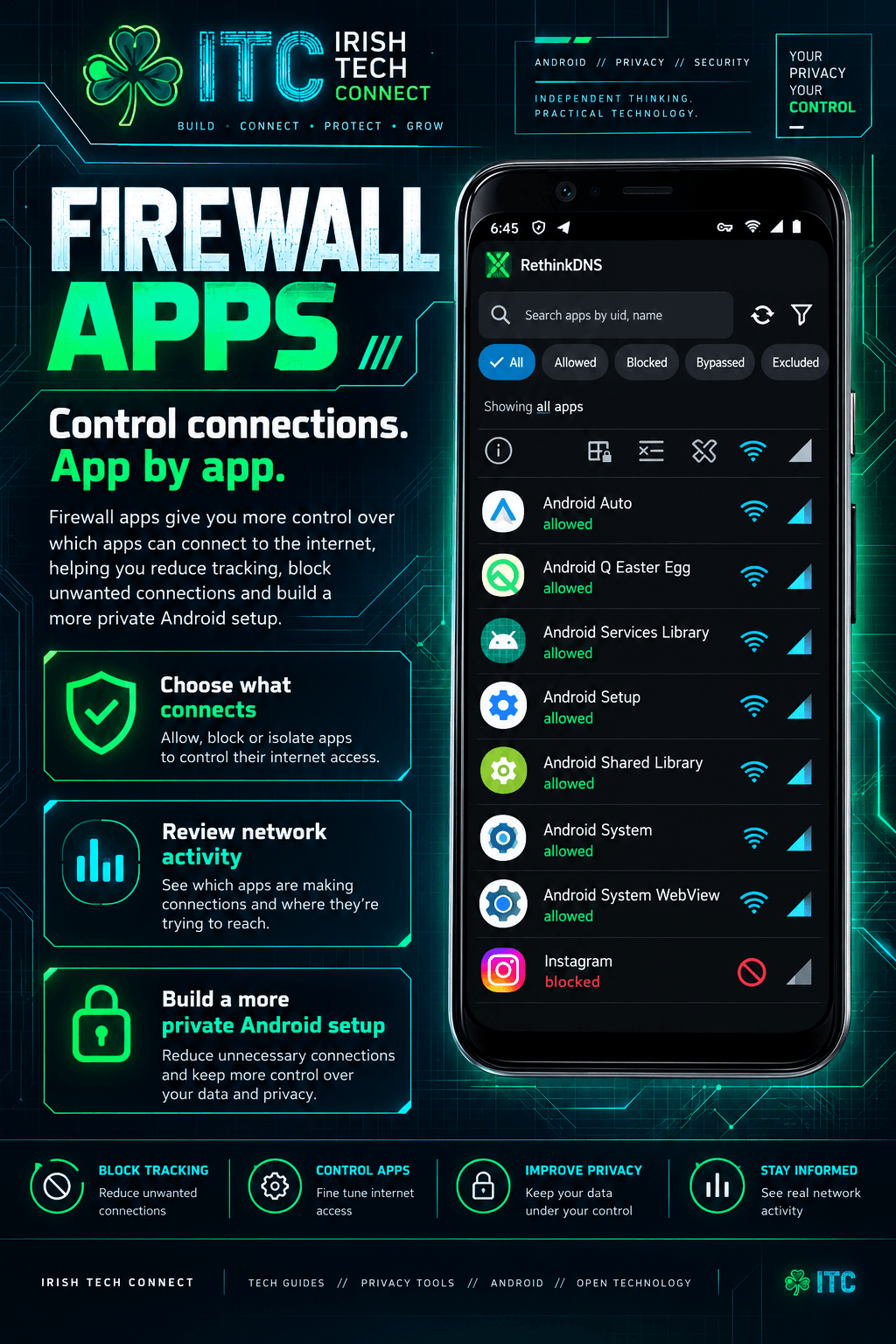
Android app firewall
Choose which installed apps can access the internet over Wi-Fi or mobile data. Apply rules to individual apps and shape access around how you actually use your phone.
DNS content filtering
Choose domain blocklists for advertising, trackers, malware, phishing and other categories. The resolver checks domain requests against your selected configuration.
Network visibility
Explore searchable network and DNS logs, per-app activity, destinations, connection timing and data-use patterns in one dashboard.
IP, subnet and port rules
Build more precise rules around destination IP addresses, IP ranges/subnets and ports, with options to allow or block traffic according to the rule type.
Stats that tell a story
Explore blocked and allowed domains and IPs grouped by app and time, plus visual summaries that help make network behaviour easier to understand.
Power-user configuration
Fine-tune DNS modes, network routing, WireGuard, proxy endpoints, packet capture and automation as your knowledge and needs grow.
Rethink DNS + Firewall + VPN: Block Annoying Ads, Trackers & Malware on Android
Prefer seeing it in action? Watch this walkthrough right here on Irish Tech Connect. The video sits inside the article, so you can learn about DNS filtering, firewall controls and VPN features without leaving the page.
Watch, learn, configure.
See how RethinkDNS brings together DNS-based blocking, per-app firewall controls and VPN-related networking tools on Android.
Playback is requested at 1.5× where the YouTube player supports it. If your browser or the video does not retain the speed setting, choose Settings ⚙ → Playback speed → 1.5× in the player.
App rules, IP blocking and port blocking
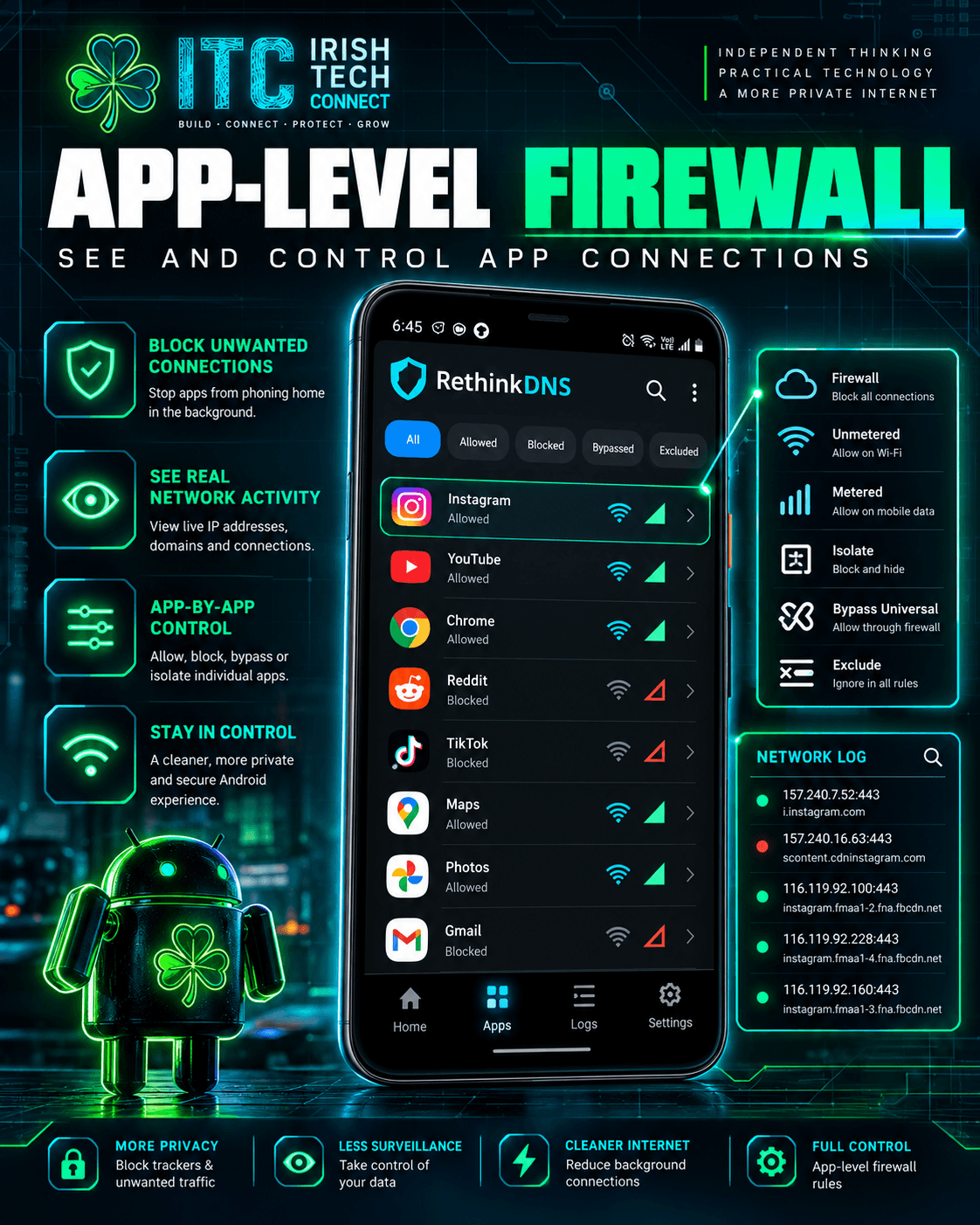
This is where Rethink becomes especially interesting. Instead of treating every app as one big on/off switch, its firewall tools give you several ways to define what network access should look like.
Control internet access by app
Choose apps individually and apply rules to their network access. Useful examples include letting a notes app work offline, managing a game’s background activity, or giving a messaging app access while applying domain filtering to its connections.
Wi-FiMobile dataPer-app rules
Foreground, background and locked-device rules
Configure app behaviour around whether an app is in use, running in the background, or the device is locked. Category-based controls and persistent app rules help you create a setup that matches your routine.
Background rulesDevice lockedApp categories
Block a destination IP
Use the network log to investigate a destination and create an IP-based rule. Rethink’s rule system also supports custom IP addresses and subnets, giving advanced users more precise control over destinations.
IPv4IPv6IP subnets
Port and protocol controls
Build firewall rules around port numbers and network traffic types. Examples include working with TCP and UDP traffic, controlling UDP broadly while keeping DNS available, and using port-specific rules to shape your connection policy.
Port rulesTCPUDP
Universal allow rules
Version 057 introduced universal trust/allow rules for domains and IPs, alongside app-specific controls. This gives you a convenient way to express a rule globally when that fits your configuration.
Lockdown and always-on options
Rethink works with Android’s Always-on VPN and “Block connections without VPN” settings. You can also explore app isolation, app exclusions and rules for UDP traffic in the firewall configuration.
Your own recipe for domain filtering
DNS is the internet’s address book. When an app asks for a domain, a DNS resolver looks up the information needed to reach it. RethinkDNS can apply your chosen domain rules as those requests are processed.
Pick your DNS resolver
Use RethinkDNS filtering or configure supported upstream DNS services. The app’s DNS settings include resolver selection and routing options to help you shape how queries are handled.
Encrypted DNS choices
Rethink’s ecosystem supports modern encrypted DNS approaches including DNS-over-HTTPS (DoH), DNS-over-TLS (DoT), and DNSCrypt, depending on the selected resolver and configuration.
Advanced DNS settings
Explore Split DNS, DNS to bypass, allowed DNS record types, system DNS on captive portals, and controls for DNS requests whose source app is unknown.
Rethink also offers a configurable DNS service that can be used in compatible browsers or devices supporting Secure DNS. The configuration page generates a resolver address for your chosen blocklist selection.
A huge catalogue. A setup that feels like yours.
The RethinkDNS configuration catalogue brings together community-maintained lists from many well-known projects. Choose a simple preset to get moving, or explore individual lists in Advanced View and shape a more specialised configuration.
Privacy
Lists focused on advertising domains, analytics, tracking, spyware, telemetry and related unwanted connections.
Examples: OISD, 1Hosts, EasyList, EasyPrivacy, AdGuard-related lists, Disconnect, HaGeZi and StevenBlack.
Security
Lists focused on malware, phishing, scam domains, ransomware, cryptojacking, suspicious hosting and threat-intelligence feeds.
Examples: URLHaus, Phishing.Army, Spam404, Threat Intelligence feeds, Sophos and RPiList.
Parental and category controls
Category-based choices for users who want a more tailored home or family DNS setup.
Categories include: adult sites, gambling, dating, social networks, piracy, proxies, selected streaming services and SafeSearch-related options.
Choose your filtering style
| Style | Great for | How to approach it |
|---|---|---|
| Privacy Lite | A balanced everyday setup | Start with a curated preset or a well-maintained lighter list, then customise from there. |
| Security-focused | Extra emphasis on known malicious and phishing domains | Choose security-category lists and review the DNS log as you learn the results. |
| Privacy + security | A broad all-round setup | Combine complementary lists, using the catalogue descriptions to guide your choices. |
| Family / category-based | A tailored DNS experience for a household | Select the categories that match your needs and check the live configuration page for available presets. |
| Advanced custom mix | Power users who want fine-grained selection | Use Advanced View to select individual lists from the catalogue and save the generated configuration. |
Logs, live connections and visual stats
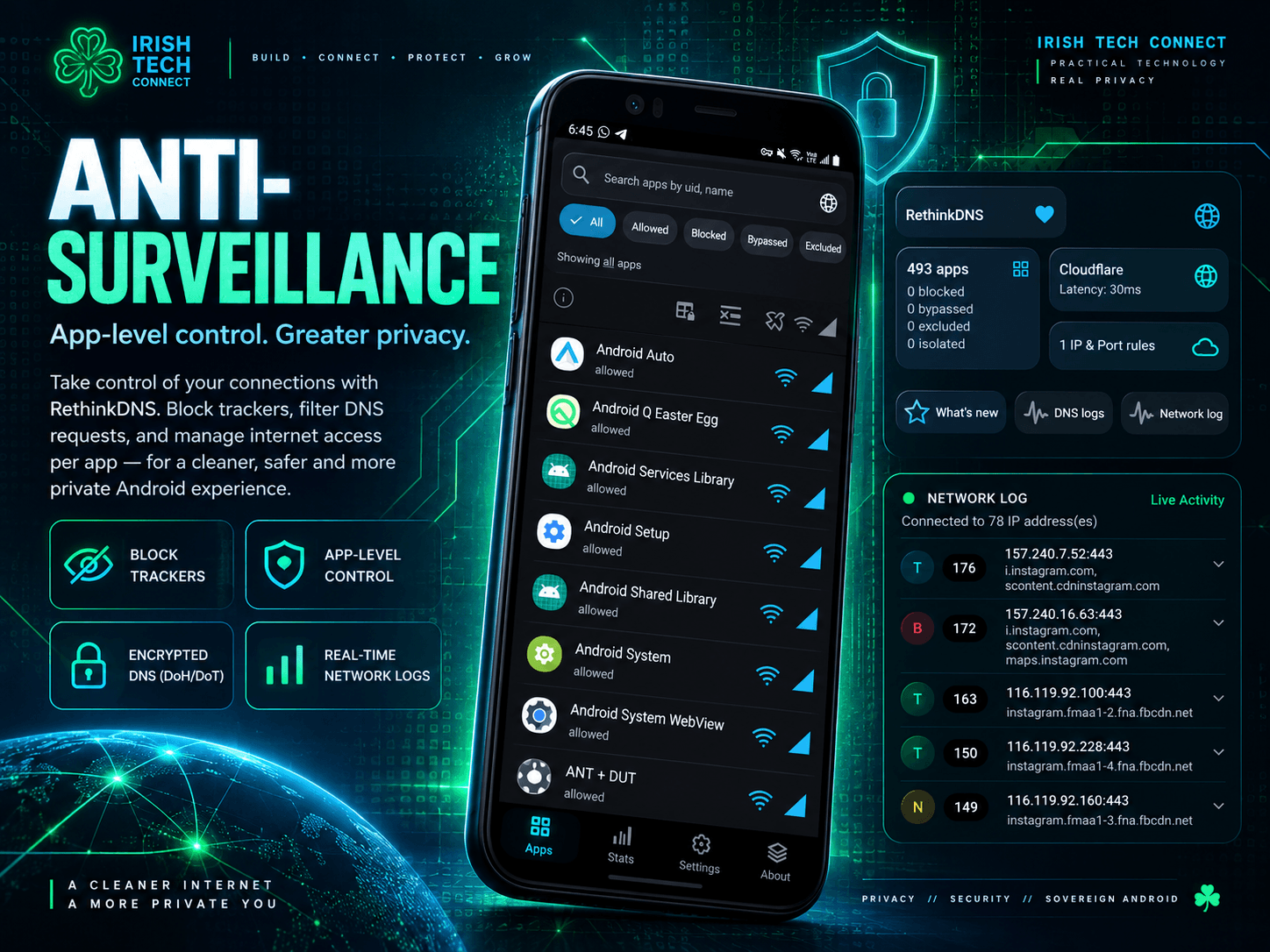
Rethink’s logs make network behaviour easier to explore. Search for an app, inspect destinations, see the rules that applied and use the information to make informed configuration choices.
Searchable network logs
Review connection entries, identify apps and destinations, and use available actions such as blocking an IP or managing an app’s access.
DNS logs with context
Inspect DNS requests and matching blocklist information, helping you understand why a domain was handled a certain way.
Stats and charts
Explore app- and time-grouped allowed/blocked domain and IP activity, on-device blocklist statistics, country maps and pie-chart summaries in recent releases.
Geo IP and ASN details
Where supported by the current interface, inspect geographic IP context and ASN information to learn more about network destinations.
Packet capture (PCAP)
Use packet capture for deeper network troubleshooting and analysis, with settings for automatic turn-off, capture truncation and manual deletion of capture files.
Diagnostics and support
App logs and engine statistics can help when investigating connectivity, understanding a configuration, or preparing useful technical information for support.
Go deeper: routing, WireGuard and proxies
For users who enjoy tuning the details, Rethink includes a growing set of network controls alongside its DNS and firewall tools.
Rethink Proxy Network (RPN)
The app offers a WireGuard-based proxy network with country selection, connection statistics and multi-hop options. Official information describes connecting to multiple locations at once; current plan availability and pricing are shown on the official site.
WireGuard configuration
Work with Simple and Advanced WireGuard modes, manage configuration backups, and explore persistent keepalive and routing options where applicable.
SOCKS5 and HTTP/S proxies
Configure supported proxy endpoints for TCP connections, including SOCKS5 and HTTP/S proxy options. This is useful for more specialised networking setups.
Network interface and routing
Explore settings such as IP-version selection, routing of private IPs, use of available networks, custom interface IPs, protocol translation and socket-buffer size.
Connectivity checks
Configure network checks and protocol tests to help understand connectivity across TCP, UDP and TLS paths, depending on the version and selected settings.
Anti-censorship options
Rethink includes configurable anti-censorship techniques and DNS resolver choices designed to support access to an open internet across different network environments.
Automation, backups and quality-of-life settings
Tasker and MacroDroid
Recent releases add intents for automation tools such as Tasker and MacroDroid to start, stop, pause or resume supported Advanced-mode WireGuard flows.
Wi-Fi and mobile automation
Configure supported network-dependent behaviour for WireGuard modes, helping your setup respond to the way you connect throughout the day.
Backup and restore
Use available backup features for supported app settings and WireGuard configurations, making it easier to carry your setup forward.
Quick controls
Explore notification shortcuts and the firewall bubble for quick access to selected controls while using other apps.
Language and interface options
Rethink has supported multiple languages and continues to evolve its interface, statistics views, app list filtering and sorting.
Screen-lock protection
Explore the app’s available screen-lock setting to add a convenient access-control layer to your configuration.
Build a great configuration in five steps
The easiest way to get value from Rethink is to begin with a clear goal, explore the dashboard, then add complexity as you learn what each control does.
Install RethinkDNS + Firewall
Start at the official download page, which links to available app stores and source-code options.
Start the protection service
Open the app, start Rethink, and follow the Android prompts. Review the home screen and locate the DNS, Firewall, Apps, Logs, Stats and Configure areas in your installed version.
Choose your DNS and blocklist style
Use the live configuration page to explore Privacy, Security and Parental options, or choose individual lists in Advanced View.
Review app access and logs
Explore the Apps screen and searchable network log. Try a clear, understandable rule such as limiting an app’s internet access or reviewing a destination IP.
Personalise the advanced controls
When you’re ready, explore ports, subnets, universal rules, DNS record types, routing, packet capture, WireGuard and automation. Keep a note of settings you change so you can reproduce a setup you like.
RethinkDNS FAQ
Is RethinkDNS open source?
Yes. The Android app’s source code is available on GitHub. You can explore the implementation, review releases and follow development.
Can it block IP addresses and ports?
Yes. The firewall supports IP-based rules and port-related controls, alongside app-specific rules. It also supports custom IP addresses and subnets. Use the current in-app firewall UI and official documentation for the precise options in your version.
How many blocklists are available?
The live catalogue currently shows more than 180 predefined lists across a wide range of providers and categories. Counts and entries evolve as lists are maintained; the configuration page is the best place to see the current catalogue.
Can I choose individual blocklists?
Yes. The configuration interface offers a simple preset-oriented view and an Advanced View for selecting individual lists from categories such as Privacy, Security and Parental controls.
Can I see which apps are connecting to the internet?
Rethink provides searchable network logs and DNS logs, plus app- and time-based statistics that help you explore connections and domain activity.
Does Rethink include VPN and proxy features?
The app includes WireGuard-based Rethink Proxy Network options and supports configuration workflows for WireGuard and supported SOCKS5 or HTTP/S proxy endpoints. Availability depends on the chosen feature and plan.
Where should I learn the settings in depth?
Start with the official documentation, the firewall guide, the DNS guide and the blocklist configurator.
Go deeper into the toolkit
Feature guide prepared by Irish Tech Connect. RethinkDNS features and interface labels continue to evolve; official release notes and documentation provide the current detail for your installed version.