
Local AI.
Your device. Your choice.
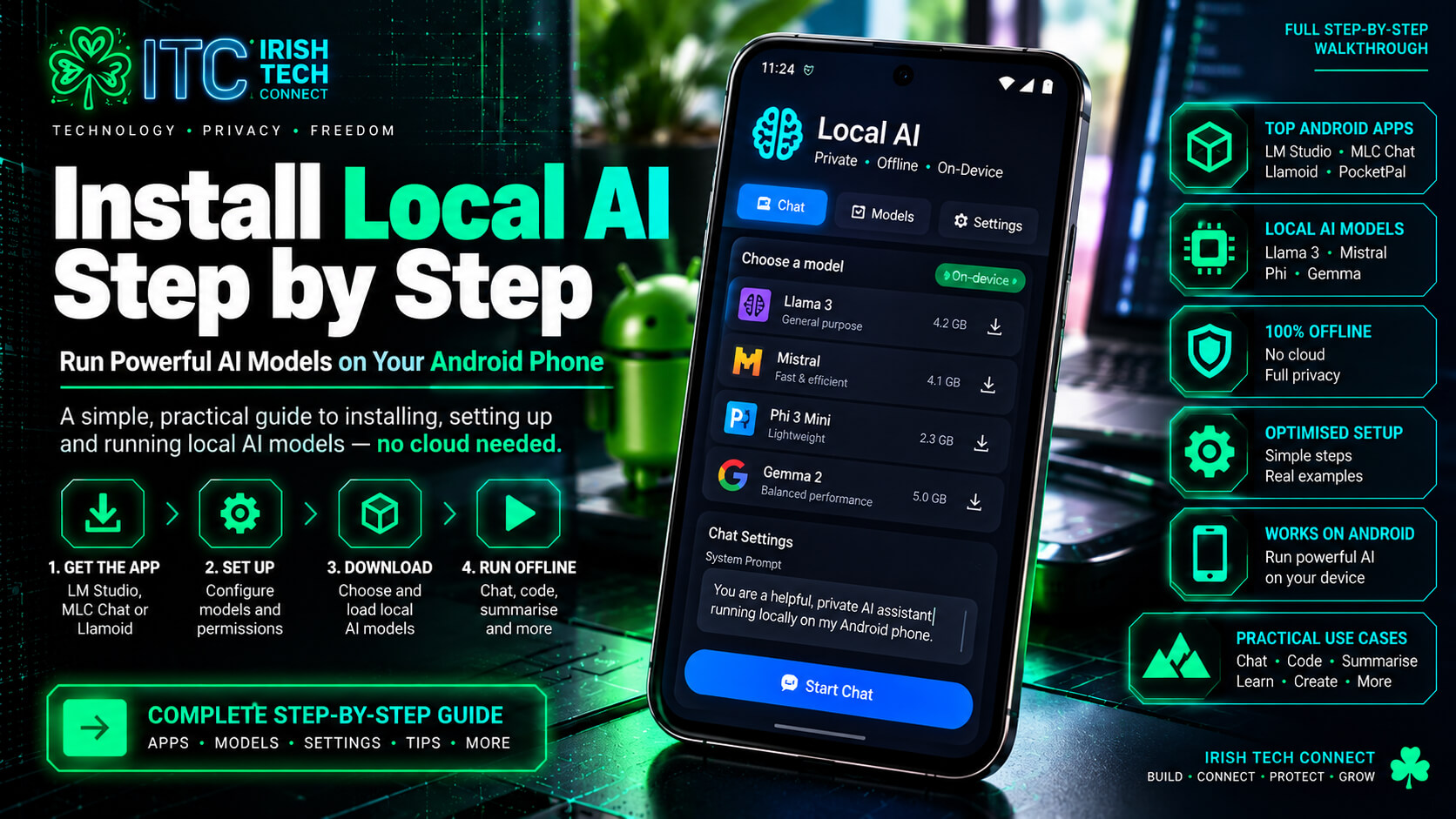
Local AI models can run directly on a compatible phone or tablet, bringing language-model tools closer to your pocket. This practical playbook explores model choices, file sizes, quantisation and the settings that can make mobile inference more manageable.
 ☘️ ITC
What does “local AI” actually mean?
With a cloud AI service, your prompt is sent to a remote service for processing. With local AI models, the model can be loaded and run on your own device instead. That can be useful when you want to experiment offline, reduce dependence on a network connection, or keep certain prompts on the device.
There is an important caveat: local inference does not automatically guarantee total privacy. The app you use may have its own telemetry, and downloading models requires an internet connection. Check the app’s privacy settings and network behaviour if privacy is a priority.
Less cloud dependence
After the model is downloaded, supported tasks can run without sending each prompt to a hosted model service.
More control
You choose the model file and local app. Review licences, app permissions and data-handling settings before use.
Pick the right brain
Small models suit quick tasks; larger models may offer stronger responses but need more memory and patience.
A quick reality check
“Local”, “open-weight” and “uncensored” are not synonyms. Model weights, licences, safety behaviour and app privacy vary. Read the model card and licence for the exact version you plan to use.
10 models to explore for phones and tablets
The supplied Mobile AI Model Bible highlights the following options as a starting shortlist. The listed sizes are approximate Q4_K_M or other quantisation estimates from that playbook, not guarantees for every build. Real performance varies by device, runtime, context length and memory available.
| Model | Approx. file size from playbook | Best-fit use | Source |
|---|---|---|---|
| Phi-3.5-mini | Q4_K_M · ~2.2 GB | Quick daily chat and technical questions | bartowski ↗ |
| Dolphin 2.9.3 Mistral 7B | Q4_K_M · ~4.4 GB | More involved prompts; needs more headroom | bartowski ↗ |
| Qwen2.5 3B Instruct | Q4_K_M · ~1.9 GB | General help, coding and multilingual tasks | bartowski ↗ |
| Llama 3.2 3B Instruct | Q4_K_M · ~2 GB | Writing and general assistant tasks | bartowski ↗ |
| Gemma 2 2B Instruct | Q4_K_M · ~1.6 GB | Lightweight writing and summaries | bartowski ↗ |
| Qwen2.5 Coder 3B | Q4_K_M · ~1.9 GB | Code explanation and debugging help | bartowski ↗ |
| TinyLlama 1.1B Chat | Q4_K_M · ~700 MB | Testing an app or setup on a lower-memory device | TheBloke ↗ |
| Dolphin 2.9 Llama 3 8B | Q3_K_M ~4 GB; Q4_K_M ~4.9 GB | Heavier local tasks on capable devices | Dolphin team ↗ |
| SmolLM2 1.7B Instruct | Q4_K_M · ~1.1 GB | Short exchanges and lightweight tasks | bartowski ↗ |
| Qwen2.5 7B Instruct | Q3_K_M ~3.6 GB; Q4_K_M ~4.7 GB | More capable general use if memory allows | bartowski ↗ |
A sensible first pick
If you’re new to mobile inference, begin with a smaller model such as TinyLlama to test whether your app can load a GGUF file. Then try a model in the 2B–4B range. Don’t assume a model will fit just because its file size is smaller than your phone’s advertised RAM.
Why do model files come in Q4, Q5 and Q8?
Quantisation stores model weights at lower numerical precision to reduce file size and memory use. In general, more aggressive quantisation saves more space but can reduce quality. The playbook calls Q4_K_M the practical sweet spot for many mobile experiments.
When memory is tight
Smaller files, with a greater chance of quality loss. A fallback when a higher quant won’t fit comfortably.
The balanced option
A common compromise between model size and output quality. Still check the exact file and runtime requirements.
When you have headroom
Larger files that may preserve more model quality, but need more available memory and storage.
Quick model-size estimator
ROUGH ESTIMATEThe playbook uses roughly 0.6 GB per billion parameters for Q4_K_M as a simple rule of thumb. Move the slider to estimate the model file size — not the total RAM required.
Actual files vary. Runtime memory, context length, app overhead and the operating system need additional headroom.
Download carefully. Tune patiently.
The original playbook emphasises source verification and conservative tuning. Use these steps as a starting point, then follow the current instructions for your chosen app and model.
Check the publisher
Open the model card and confirm the exact organisation, base model attribution and licence.
Choose a quant
Find the exact GGUF file you need, such as Q4_K_M, and compare the listed size before downloading.
Load conservatively
Start with a modest context length and default settings recommended by your inference app.
Test more than once
Judge speed after the first response too; initial model loading can distort your impression of performance.
Publisher verification checklist
Exact repository
Check the organisation spelling and model name. Similar-looking names can be misleading.
Model card and licence
Confirm the base model, permitted use and any restrictions before installing or redistributing it.
File integrity
Compare the downloaded file size with the repository listing and verify a published hash when available.
The supplied playbook lists publishers such as bartowski, ggml-org, cognitivecomputations, mistralai, microsoft, Qwen, lmstudio-community, mradermacher and unsloth. Repository status, ownership, file availability and licences can change, so verify the exact model page each time.
Ten practical tuning habits
01 · Keep context modest
Start at a low context length and increase only when needed. Longer context can consume substantially more memory.
02 · Adjust in small steps
Change one setting at a time so you can tell what improves or hurts performance.
03 · Watch background apps
Close memory-heavy apps while testing a large model, especially on devices with limited RAM.
04 · Monitor heat and battery
Long inference sessions can warm a phone and drain the battery. Pause if the device gets unusually hot.
05 · Test a small model first
Confirm that the app and model format work before attempting a much larger download.
06 · Check app compatibility
GGUF is not supported by every app. Confirm the runtime and model architecture are compatible.
07 · Be patient with first load
The first response may be slower while the model loads. Compare later responses too.
08 · Keep prompts concise
Long system prompts and character cards use context and can add processing overhead.
09 · Leave storage headroom
Model files are only part of the footprint; the app, cache and other data need space too.
10 · Match model to task
A lightweight model for quick tasks plus a larger model for harder work can be more practical than one giant model.
From local models to the WispOS idea
The supplied Mobile AI Model Bible connects local inference with a future concept called WispOS: a lightweight intent parser could route simple requests to a small model, call on a larger model only when needed, then unload it to release resources.
Right brain for the right job
The core principle is resource-aware design: use a small model for straightforward tasks, fetch or load a more capable model when the task justifies it, and release resources when finished. This is a design direction described in the source playbook, not a claim that a finished WispOS system is currently available.
Local AI models: quick answers
Can AI really run on a phone?
Yes, some language models can run on compatible phones and tablets through supported inference apps. Speed and model size depend on the hardware, memory, runtime and settings.
Does local AI mean completely private AI?
Not automatically. The model may run locally, but the app could still use telemetry or network features. Review permissions, privacy documentation and offline behaviour if this matters to you.
What does Q4_K_M mean?
It is a quantisation format used for some GGUF model files. It reduces storage and memory requirements compared with full-precision weights, with a trade-off that depends on the model and quantisation method.
Will a 4 GB model run on a phone with 8 GB RAM?
Not necessarily. The model file is not the only memory requirement. The runtime, context cache, operating system and other apps all need memory too. Leave headroom and test conservatively.
What is the best model to start with?
There is no universal winner. The source playbook suggests testing a small model first, then trying a 2B–4B model for everyday tasks if your device has enough headroom. Choose based on your own device and intended use.
Are uncensored models automatically better?
No. “Uncensored” is an informal description of model behaviour, not a quality guarantee. Evaluate usefulness, reliability, safety, licensing and suitability for your task.
Ready to experiment with local AI?
Start small, verify every download, keep an eye on memory and battery, and test models against real tasks. The smartest setup is the one that fits your device and your needs.
Explore AI models on Hugging Face ↗Irish Tech Connect · Practical technology. Smarter digital choices. ☘️
More practical technology from Irish Tech Connect
Explore more ways to keep your digital environment useful, reliable and well maintained.
Website Maintenance & Care
Regular updates, backups, security checks and performance care help keep a WordPress website in good shape.
Irish Tech Connect
Discover practical technology guidance and digital services from Irish Tech Connect.
Start with the model card.
This feature is based primarily on the supplied “The Mobile AI Model Bible — The Playbook” file. Model names, links, sizes and recommendations are reproduced as a starting guide from that source; confirm current availability, compatibility and licensing before downloading.
- Hugging Face Models — browse model cards
- llama.cpp — local inference project
- Phi-3.5-mini GGUF — example model repository
- Qwen2.5 3B Instruct GGUF — example model repository
Disclaimer: This is an educational guide, not a guarantee of performance, privacy or suitability. Model files can contain risks and licences vary. Download from repositories you trust, check the model card and licence, and do not run untrusted files or code blindly.